




Why Doesn't My Solar Production Match My Utility Bill?

Your solar monitoring app shows 400 kWh produced, but your utility bill only credits you for 100 kWh. Sound familiar? Thousands of Southern California homeowners panic when they see this discrepancy—but the gap doesn't mean something's wrong. Here's what's actually happening and how to fix the confusion. URL Slug: solar-production-utility-bill-mismatch
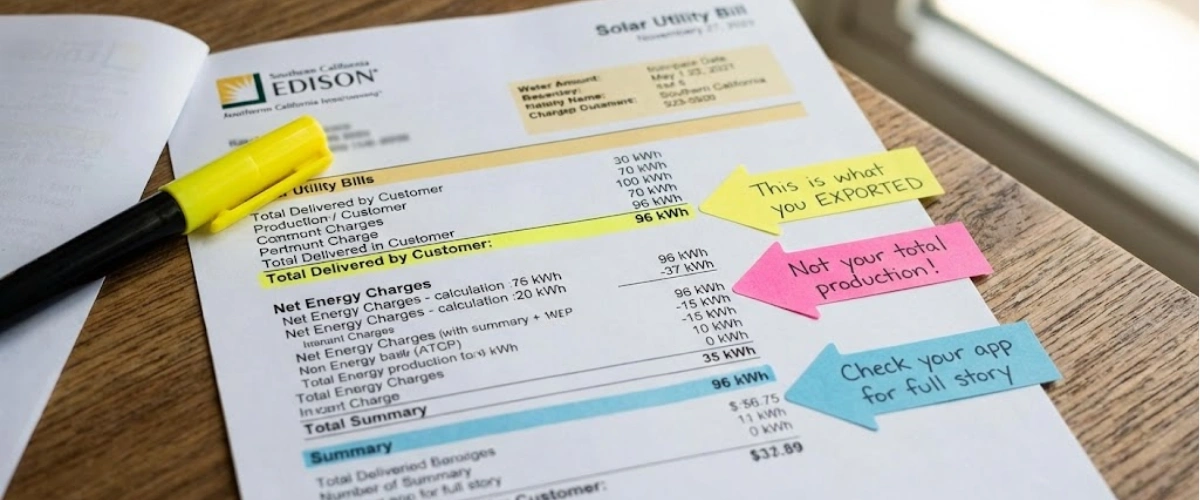
You installed solar panels. You're checking your monitoring app religiously. The numbers look great—until you open your SCE or PG&E bill.
Your app says you produced 400 kWh last month. Your utility bill shows you only exported 100 kWh to the grid. That's a 300 kWh difference.
Did the utility company steal your power? Is your system broken? Are you getting ripped off?
The short answer: No. You're just looking at two different measurements. Your solar panels are working exactly as they should. But if your installer didn't explain how the numbers work, it's easy to assume something's wrong.
Let's clear up the confusion once and for all.
Understanding What Your Solar App Actually Measures
Your solar monitoring app—whether it's Enphase Enlighten, SolarEdge, or another platform—tracks one thing: total production.
This number represents every kilowatt-hour your panels generate when the sun hits them. It doesn't know or care what happens to that energy after it's produced.
Think of it like a faucet meter that measures every gallon of water flowing out. It doesn't track where the water goes—whether it fills your bathtub, waters your lawn, or goes down the drain.
Your solar production works the same way. The app counts everything your panels make. Period.
What Your Utility Meter Measures (The Real Story)
Your utility meter is completely different. It only measures electricity crossing the property line between your home and the grid.
When your solar panels produce more power than your home needs at that exact moment, the excess flows backward through your meter to the grid. That's what shows up as "delivered by customer" or "exported to grid" on your bill.
But here's the critical part most installers don't explain clearly: You use most of your solar power immediately, before it ever reaches the meter.
When your air conditioner kicks on at 2 PM and your panels are producing 8 kW, that power goes straight to your AC unit. It never touches the utility meter because it never leaves your property.
The meter only sees the leftover power you don't need.
The Math Behind the Mystery
Let's use real numbers from a Southern California homeowner:
- Solar app shows: 400 kWh produced
- Utility bill shows: 100 kWh exported to grid
- What actually happened: You used 300 kWh of your own solar power directly in your home
This is called self-consumption, and it's actually a good thing. You're using free solar power instead of buying expensive electricity from SCE or PG&E.
The gap between production and export isn't missing energy. It's energy you already used. Your fridge, AC, lights, phone chargers, TV, and washer all consumed that power in real-time as your panels produced it.
Understanding how solar monitoring systems work helps you see the complete picture instead of just one part of it.
Making Sense of Your Utility Statement
SCE and PG&E bills look confusing even without solar. Add solar into the mix and they become nearly impossible to decode.
Here's what to look for on your bill:
Key Numbers to Find
"Total Delivered by Customer" or "Exported to Grid": This is the excess solar you sent to the utility. Under NEM 3.0, you get credit for this at the current export rate (much lower than what you pay to import).
"Total Delivered by Utility" or "Imported from Grid": This is the power you bought from SCE or PG&E when your panels weren't producing enough (mostly at night).
"Net Energy": The difference between what you exported and what you imported. This determines your monthly charges.
The tricky part? Your bill won't show your actual solar production. That's why the numbers look wrong.
Learning how to read your solar bill correctly prevents the panic most new solar owners experience.
Why Winter Months Look Especially Confusing
In summer, your panels might produce 800 kWh and you only use 500 kWh in the home. You export 300 kWh to the grid and build up credits.
In winter, your panels might produce 400 kWh but you use 600 kWh (heating, lights on longer, etc.). You import 200 kWh from the grid and use your summer credits.
Your monitoring app still shows production accurately. But the utility meter shows a completely different story because it's measuring net flow, not gross production.
If you're charging an EV or running a pool pump, the discrepancy gets even bigger.
The Missing Piece: Consumption Monitoring
Most solar systems ship with consumption monitoring hardware. It's a pair of small sensors (called CTs) that clamp onto your main electrical panel.
These sensors measure everything flowing through your panel—production, consumption, and net grid exchange. With them enabled, your solar app shows three numbers:
- Production: What your panels made
- Consumption: What your home used
- Grid: Net export or import
Without consumption monitoring, you only see production. That's why the numbers don't match your bill.
The frustrating part? Many installers skip this step. Sometimes the CTs are sitting in the box, never installed. Other times they're physically installed but not activated in the software.
A Reddit user with 57 panels said it perfectly: "Totally thought we were sending everything we make to the grid. Didn't realize we would be consuming in real time before it goes through the meter."
That's the gap most installers fail to explain.
If you want to see your complete energy picture, adding consumption monitoring features takes 30 minutes and eliminates all the confusion.
Why EV Owners See Bigger Discrepancies
Electric vehicle owners notice the biggest gaps between solar production and utility credits.
A typical EV uses 300-400 kWh per month just for charging. If you charge during the day when the sun's shining, that's 300-400 kWh of solar production that never touches your meter.
Your app shows the production. Your bill doesn't show the consumption. The gap looks massive.
Same goes for pools, hot tubs, and any major daytime loads. The more you use during peak solar hours, the bigger the discrepancy.
This isn't a problem—it's actually the ideal scenario. You're using free solar power instead of paying SCE's peak rates. But without consumption monitoring, it looks like something's wrong.
Sizing your system correctly becomes critical when you have high loads. Understanding charging your EV with solar helps you avoid undersizing and ensure you generate enough power for both your home and your car.
Should You Add Battery Storage?
Under California's NEM 3.0 rules, battery storage changes everything.
Export rates dropped by 75% compared to NEM 2.0. You now get roughly $0.05-$0.08 per kWh for power you send to the grid during the day. But you pay $0.35-$0.55 per kWh to buy power back at night.
That's a terrible deal.
Batteries let you store your excess daytime production and use it at night instead of buying expensive grid power. You maximize self-consumption and minimize imports.
For most Southern California homeowners, solar + battery is now the only way to see real savings. Solar alone under NEM 3.0 delivers much lower returns than it did just two years ago.
If you're already seeing large gaps between production and export, you're a perfect candidate for storage. You're clearly producing excess power during the day. Why send it to the grid for pennies when you could store it and avoid paying dollars later?
Learning about battery storage with NEM 3.0 shows you exactly how much you could save by keeping your power instead of exporting it.
How US Power Ensures You Understand Your System
At US Power, transparency isn't optional. It's built into every installation.
Here's what we do differently:
Complete Monitoring Setup
Every system includes consumption monitoring. We install the CTs, activate them in your app, and walk you through what each number means before we leave.
You'll see production, consumption, and grid flow in real-time. No surprises. No confusion.
Pre-Installation Education
Before we install a single panel, our CSLB-licensed consultants explain exactly how your system works, what to expect on your bills, and how to track your savings.
We don't use sales pressure or confusing jargon. We give you the facts so you can make an informed decision.
25-Year Comprehensive Warranty
Our warranty covers panels, inverters, workmanship, and performance for 25 years. If your system underperforms, we fix it. If you have questions three years from now, we answer them.
Most companies disappear after installation. We don't.
Factory-Direct QCells Pricing
As an exclusive QCells partner, we offer American-made panels at factory-direct prices—typically 15-20% below market rates.
You get tier-1 equipment without the inflated markup. That means faster payback and better long-term returns.
When you choose US Power, you're not just getting panels. You're getting education, transparency, and support for the life of your system.
Understanding factory-direct QCells pricing shows you how much you save compared to going through a middleman.
Questions to Ask Before Installation
If you're still shopping for solar, here are the questions that separate good installers from bad ones:
Will You Install Consumption Monitoring?
If they say "it's optional" or "most people don't need it," walk away. Consumption monitoring is essential for understanding your system and troubleshooting issues.
What Monitoring Platform Do You Use?
Enphase and SolarEdge both offer excellent monitoring. Cheap off-brand systems often lack features and support.
How Will You Size My System for My Usage?
They should ask about your average monthly kWh, peak usage times, future EV plans, and planned home additions. Cookie-cutter sizing leads to underperforming systems.
What Happens If My Numbers Don't Match?
A good installer will explain self-consumption, walk you through reading your bill, and show you how to reconcile the numbers yourself.
Knowing the right things you must know before going solar protects you from installers who cut corners or over-promise results.
What to Do If You're Already Confused
Already have solar but still can't make sense of your bills? Here's what to do:
Check if consumption monitoring is available. Log into your solar app and look for "consumption" or "home usage" data. If it's missing, call your installer and ask them to enable it.
Request a billing analysis. A good solar company will sit down with you (virtually or in person) and walk through your actual bills vs. production data.
Consider adding a third-party monitor. Devices like Sense or Emporia can track your consumption even if your solar system doesn't.
Don't stay confused. Your system is probably working fine—you just need better visibility into what's happening.
Stop Guessing and Start Understanding Your Solar
The discrepancy between your solar app and utility bill isn't a problem. It's proof your system is working.
You're generating power. You're using it in real-time. You're reducing your grid dependence.
The only issue is lack of visibility. Once you add consumption monitoring and learn how to read the numbers correctly, everything makes sense.
If your current installer won't help, it's time to find one who will.
US Power has helped thousands of Southern California homeowners navigate solar billing, NEM 3.0, and system optimization. Our CSLB-licensed consultants explain everything in plain English—no jargon, no pressure, no confusion.
Whether you're planning your first solar installation or trying to understand the one you already have, we're here to help.
Ready to get real answers? Schedule your free consultation today and see exactly what your solar system can do for you.
Frequently Asked Questions
Why does my solar app show 400 kWh but my bill only credits 100 kWh?
Is the utility company stealing my solar power?
Do I need consumption monitoring?
How can I tell if my system is underperforming?
Will adding a battery fix the billing confusion?


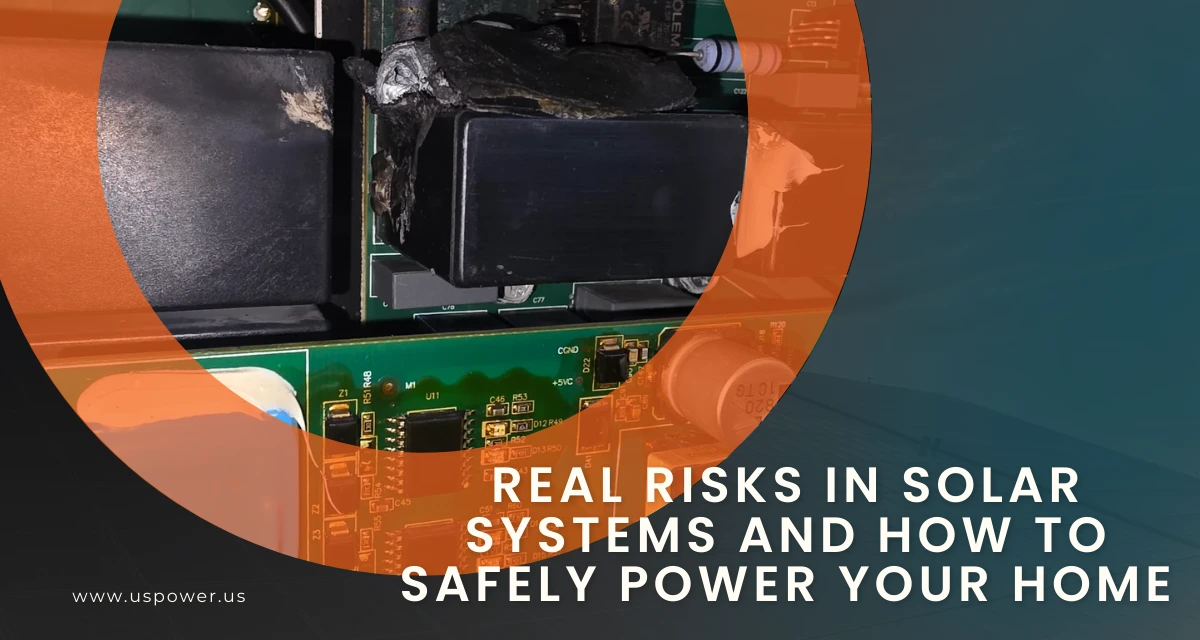
Real Risks in Solar Systems and How to Safely Power Your Home
Protect your home with US Power's expert solar tips. Stay safe when going solar.

How Solar Panels Increase Your Home’s Value in California
Discover how installing solar panels boosts California property values today.
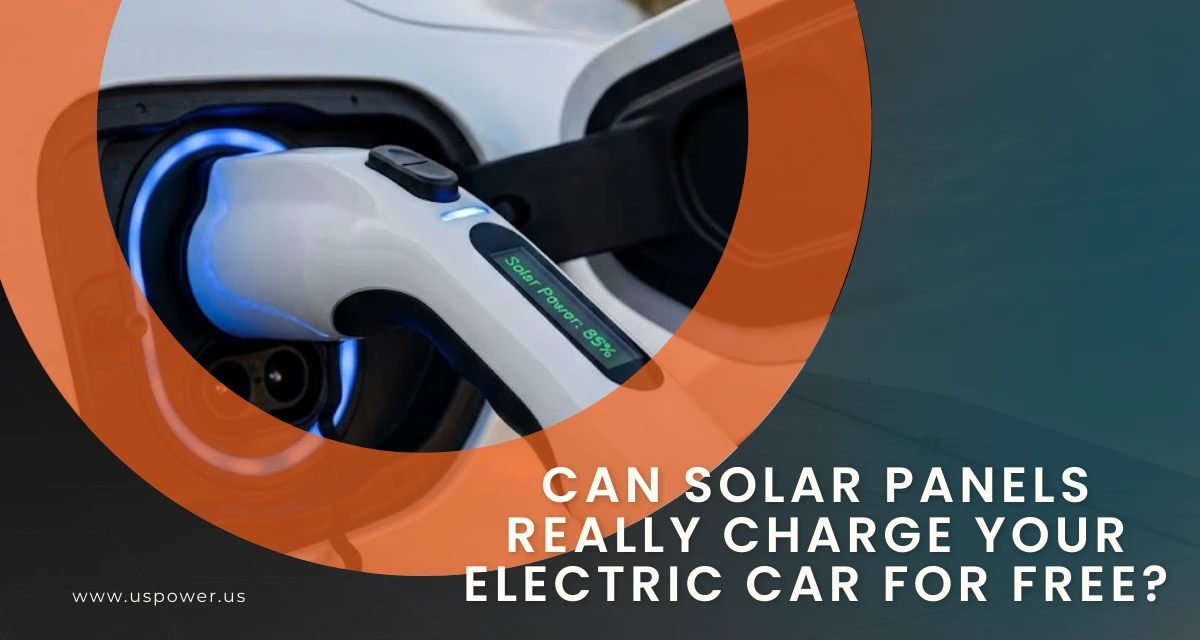
Can Solar Panels Really Charge Your Electric Car for Free?
Stop paying SCE $0.52/kWh to charge your Tesla this 2026. Switch to solar, go solar!








Copyright © 2025 US Power - Axia by QCells. All Rights Reserved.

Get an instant solar estimate using satellite!